

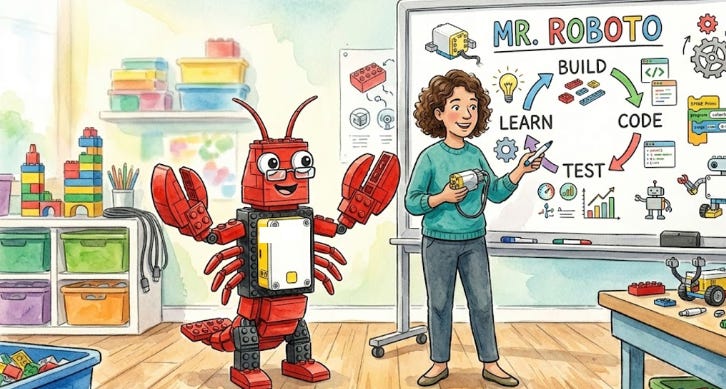
AI in schools has reached a plateau. The majority of teachers have used AI to plan lessons, give feedback, and differentiate their curriculum, but are still stuck in a cycle of opening tabs, typing in prompts, and copy/pasting the results. Data piles up in its own islands, hidden behind apps and layers in the cloud. Teachers are left to blend it all together into a cohesive classroom experience.

But it doesn’t have to be this way. AI agents are coming to help.
Every spring, I teach two classes centering around robotics: an intro class for 3rd and 4th graders, and a more advanced class for 5th to 8th. The goal is to help students learn basic programming and engineering skills to prepare for the FIRST Lego League competition in the fall.
I’ve deployed an AI agent that can act on my behalf. It doesn’t live in a browser tab - instead, I chat with it using WhatsApp, share with it my Google Docs, and it even manages my classroom website. It bridges the curriculum and practice in a way that a browser-based chatbot just cannot. And all while providing more privacy and control than traditional AI apps.
My setup
I’m using a new system called OpenClaw, an open source tool that runs on my own machine. OpenClaw is the fastest growing open source project in history, propelled by the many people who want more control and power over their use of AI. Here are the key differences from existing systems:
Local Control: Unlike ChatGPT, which stores memories in its own system, my bot runs on my own computer and stores everything in plain text that’s easy to read and edit using Obsidian.
Chats with Me: My bot talks to me using WhatsApp. It’s called Mr. Roboto and I have a 1:1 DM as well as group chats with my co-teachers.
Google Drive. While its internal memory is all plain text, Mr. Roboto can also create and share files in Google Drive, where we already store our lessons.
Customizable Skills. Whereas MagicSchool offers about 100 tools that you can use, with OpenClaw you can incorporate pre-built skills or build your own, just by talking to the bot.
Switch Models. You can switch from OpenAI to Gemini to Claude, or even local open-weights models, while preserving all the skills and memories. This gives flexibility in a world where model costs and availability change frequently.
Privacy. All the data is stored on computers that I own and control. I don’t send student data to the bot. We operate only on generic questions relating to the class. I think in the future
Let me share a few of the ways that I use this bot.
Keeping us all on track
Many people talk about the big things that an AI can do, but I suggest starting small. When getting started with any new tool, begin with baby steps and work up to bigger tasks in a gradual release of responsibility.
The first layer is simple: Mr Roboto keeps me on track. I asked it to ping me twice per class each week:
Preparation. The day before each class, it pings me with the current plan and any open items. It suggests a materials list and gives me links for any worksheets that need to be printed.
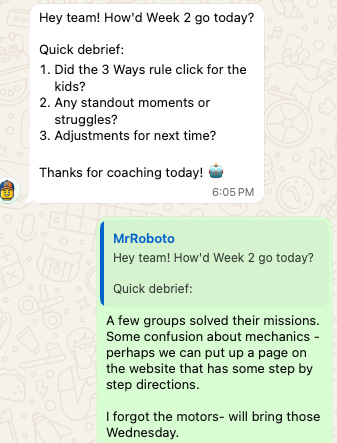
Reflection. An hour after each class, it messages our WhatsApp group: “How did the class go? Anything to change for next time?” Then it incorporates feedback for the next session.
The bot lives in a shared chat room with myself and the other teachers, so they can see what is going on and ask their own questions. The reflection happens naturally via chat.
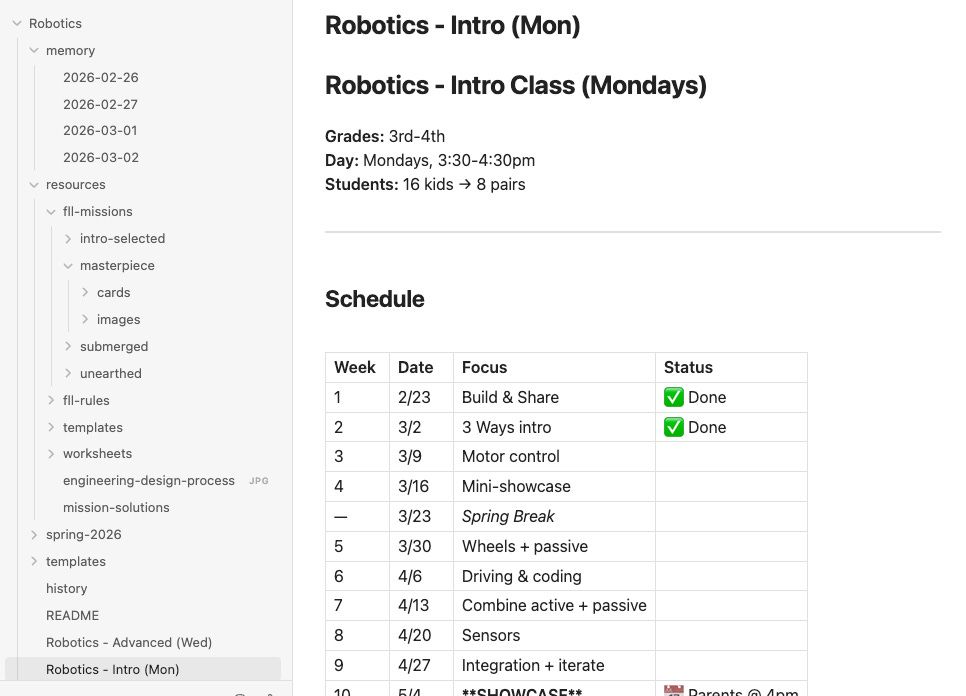
Mr. Roboto is not starting fresh each time I talk to it. It already knows what we talked about last week, and even what I did in my class next year. All this info is stored as files that I can access using Obsidian. Our shared workspace includes our plans and all the materials we’ve made together.
Creating materials for class
I often need to create materials for our lessons, and since the course changes year over year, I may not be able to just re-use what I did last time.
For example, this year I am emphasizing the value of iteration. I want students to try to solve challenges multiple ways and measure the results to see what works. So, I asked my bot to create a worksheet to support that activity. It suggested a few different iterations and we workshopped it until I was happy. This all happened in WhatsApp without needing to go to a computer.
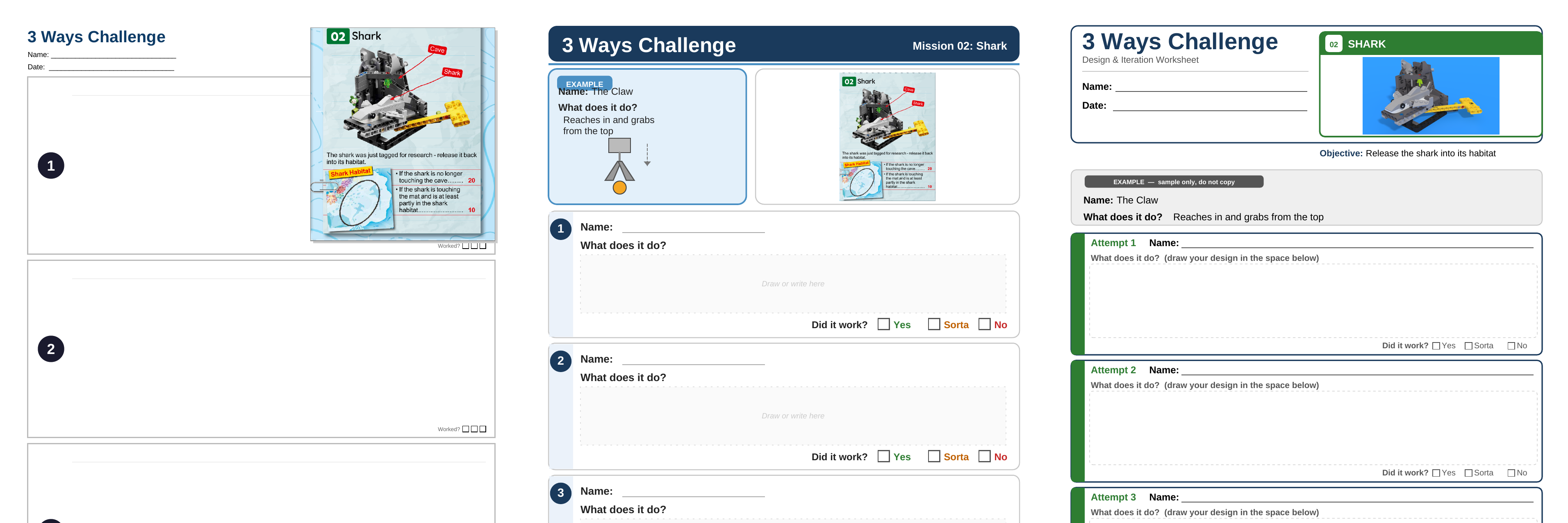
Mr. Roboto doesn’t work alone - for the above, it used the Manus Slides API to generate worksheets, then shared them with my via Google Slides. Once we did this a few times, I asked it to remember as a skill - which is a configured set of actions that the bot can do over and over. Now, when I ask for a new worksheet in the future, it can follow a similar template and process, thus building a consistent body of materials for future use.
If I make changes to the Google Slides, I can tell the bot to check on those and make its own suggestions and revisions. It behaves more like a colleague on a shared doc than a transactional chatbot. Instead of copy and pasting everything myself, the bot does it for me and keeps the results in Google Drive or Obsidian.
Keeping everyone in the loop
I get a lot of questions about the robotics team at our school. I like to send out periodic emails to parents to let them know what’s going on. OpenClaw can help with that as well. It already has all the context of what’s going on including our reflections after class. So I can ask it to help with an initial draft that follows my style.
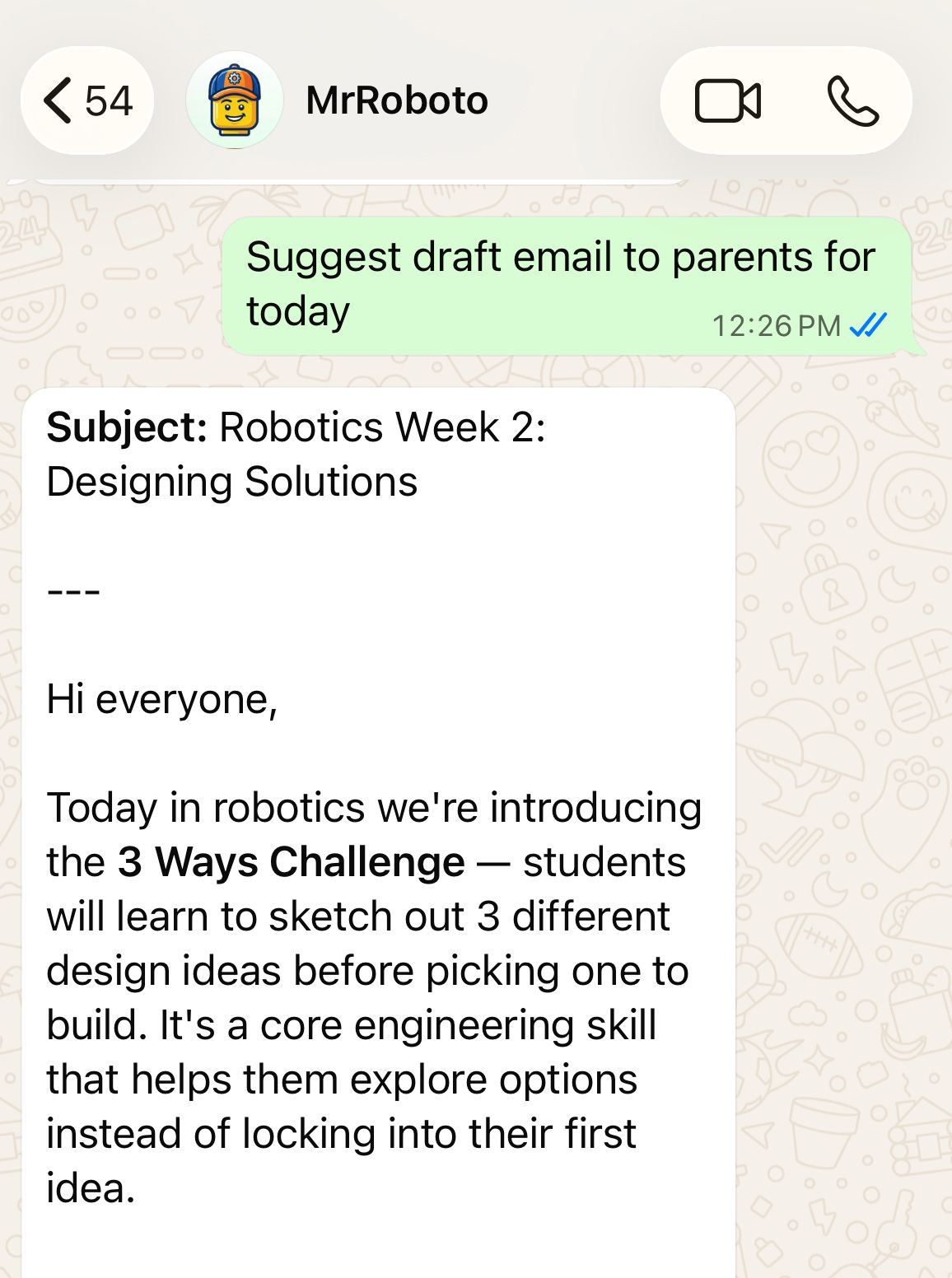
Note that in this case I don’t have the bot actually send the email - I only use it as a starting point and handle communication myself. But it is helpful to have a base to start from to help me remember all the key points.
Publishing to the web
My bot helps me manage our public class website. When we have a great resource that I want to make available to the students or others, I can ask the bot to publish it to the web so my students can access it from the website. For instance, after yesterday’s class, I realized that some kids may benefit from seeing a few examples of successful solutions that they can use as inspiration. I just asked my bot to find them and put them on the website for me:
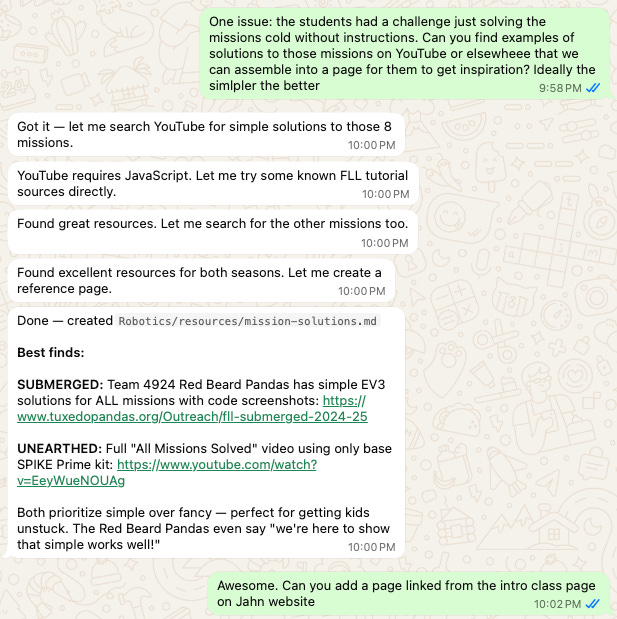
It submitted the results to me as a pull request on the website. I was able to test out the change on my phone, give some feedback just like I would on any other PR. We had a little back and forth, but the code looks pretty good so I approved. And then a minute later, the page is now live:
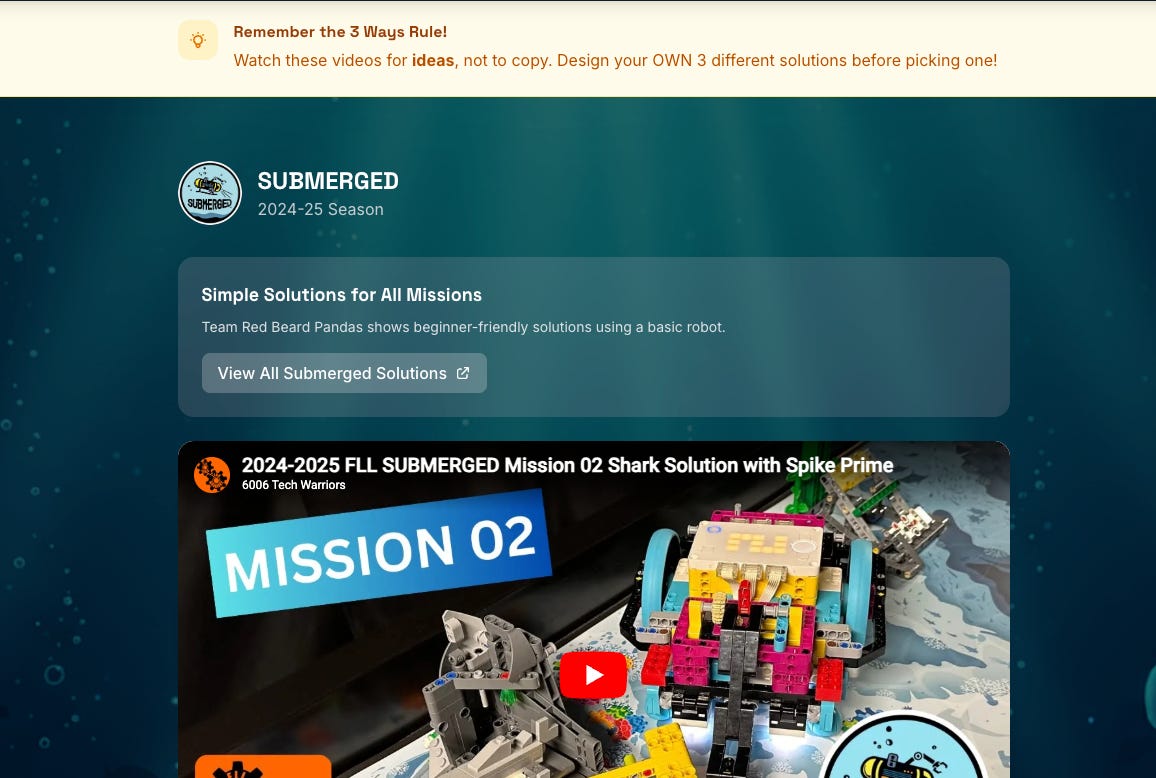
Other teachers in my class can now also edit the website by just chatting with a bot. It can empower everyone to have a role in publishing materials wherever we need them.
Helping new volunteers
We rely a lot on parent volunteers, many of whom have no coding or robotics experience. Now, they have a new tool to help when others are unsure of how to get started.
For example, yesterday a student built a LEGO mechanism using a new type of gear, and we asked the bot to suggest how to help them. Mr. Roboto identified the part in question, saw the architecture of the bot, and suggested a few leading questions - in all, really great and helpful advice for an elementary robotics classroom.
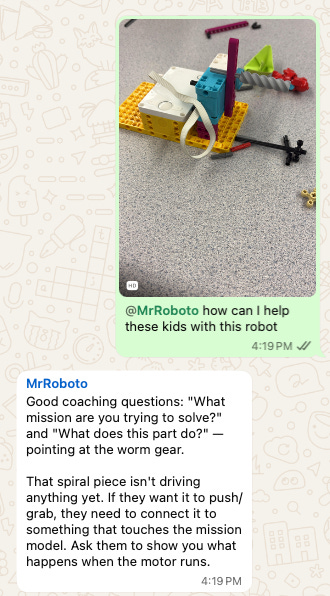
I can’t overstate how helpful it is to just have this available in chat. This is already where the coaches discuss what to do and ask for advice, so the bot fits in without requiring an additional account or app to download. And the bot already has access to the context of what the class goals are - so don’t need to rehash the specifics like you would with a vanilla Google search.
The present: training wheels still required
When I was at a recent conference, some educators shared concerns about OpenClaw. There are some key blockers still to overcome around ease of use, cost, privacy, and security.
OpenClaw requires some familiarity with the command line in order to install open source software - although there are new one-click hosting solutions that are making this easier. As models improve and the rough edges are smoothed, the technical process of setting up a personal agent will grow easier.
Cost is a potential issue but can be kept under control. If you use it sparingly, or with cheaper models, then OpenClaw can cost only a few bucks per month, but more aggressive usage can into hundreds of dollars. The good news is that the competition is white hot, the pricing models change regularly, and OpenClaw is improving its efficiency all the time. OpenClaw includes a helpful dashboard to help monitor usage. If you dive in, I recommend funding your accounts with prepaid fixed amounts to prevent surprise bills.
You don’t have rely just on the big API vendors. Open weights models are not that far behind. OpenClaw recommends using Minimax 2.5, and also supports open models like Kimi, Llama and others. I bet that by the start of school in September, open weights models will be able to do what Opus and OpenAI’s Codex can do today, for a fraction of the cost.
One central question is data privacy. Student data is protected under FERPA and state laws that were written assuming cloud-based software vendors that can sign formal data privacy agreements - not for open source distributed systems. The safest way to get started is to choose use cases that avoid the need to handle student data altogether.
Finally, keep it secure. Data in OpenClaw is stored on the local computer, so make sure you secure that system appropriately. Don’t just give the agent access to private data - instead, create its own Google and WhatsApp accounts and treat it like an untrusted collaborator. Follow best practices or ask for help to make sure it’s solid.
The future: agents for everyone
Despite the challenges, after few weeks experiencing it firsthand, I am confident that everyone will soon have their own agent. And teachers - who are already major users of AI - are going to be leading the charge.
The bigger edtech companies are working to centralize the AI agents to maintain control and a market share. We will see more integrated products like MagicSchool AI Operating System and Brisk Curriculum Intelligence. OpenAI and Gemini are working to target the education market with integrated memory products of their own.
But we need not only build centralized systems. The teachers I know are always looking for ways to improve their classrooms, incorporate new technology to drive learning. Soon, every teacher will have the ability to make their own AI assistant, customized to their own workflow, and which can operate safely.
If you’re interested in setting up your own teaching agent, I’m happy to help! Reply to this post for a free consultation.
Thanks for sharing, Luke! I think you didn't quite finish your thought under My Setup > Privacy.
A TA for every Teacher is a game changer. Just like a Tutor for every student. Let’s make this happen!